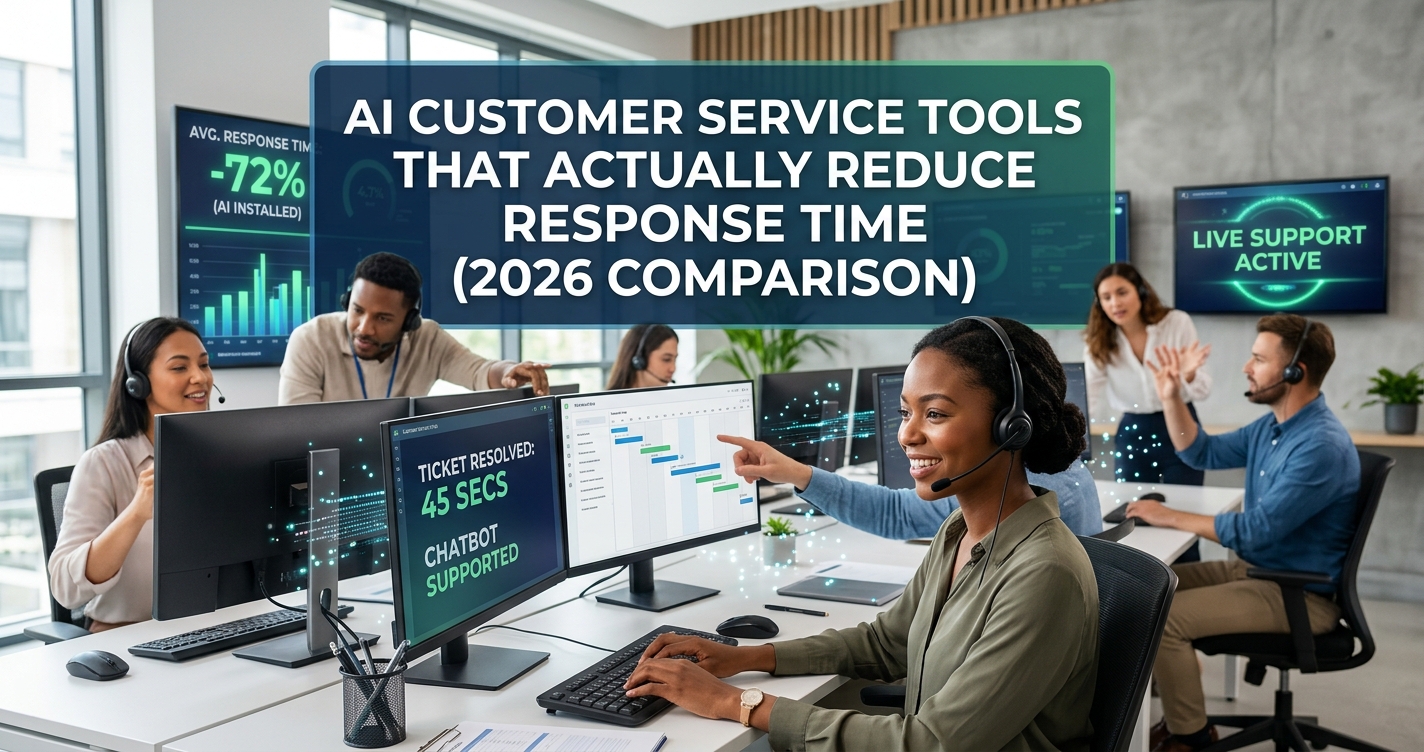
The AI customer service tool that reduces response time fastest to set up is Fin by Intercom, which can go live in under an hour and works on top of your existing helpdesk. Tidio is the fastest to test for free, and Freshdesk’s Freddy AI is the strongest pick if you want AI baked into a full ticketing system rather than bolted on top of one. Below is a full breakdown of how each tool actually performs on response time and setup difficulty, not just a features list.
Most “best AI customer service tools” roundups compare feature checklists. That’s not what actually matters when you’re evaluating these for your business. What matters is: how fast can this go live, how much of your team’s time does it save on day one, and does the pricing model actually reward faster resolutions, or punish you for using it more. This comparison ranks each tool on exactly those three things.
Quick Comparison List
- Fin by Intercom — Best for: businesses that want AI on top of their current helpdesk without switching systems. Starting price: $0.99 per resolution (pay only when it actually resolves a query). Free trial: Yes, 90 days risk-free.
- Zendesk AI — Best for: mid-size and larger support teams already inside the Zendesk ecosystem. Starting price: plans start at $19/user/month, with AI agent features on higher tiers. Free trial: Yes.
- Tidio (Lyro AI) — Best for: solopreneurs and small businesses wanting a genuinely free starting point. Starting price: Free forever plan available. Free trial: Not needed, free plan includes AI conversations.
- Freshdesk (Freddy AI) — Best for: teams that want AI agents built into a full ticketing and helpdesk system. Starting price: Growth plan from $19/user/month; Freddy AI Agent requires Pro tier ($55/user/month) or add-on sessions. Free trial: Yes, 14 days, no credit card required.
- Drift — Best for: larger B2B sales-and-support teams needing conversational AI at scale. Starting price: Premium plans starting around $2,500/month. Free trial: Contact sales for demo.
- Help Scout AI — Best for: small teams wanting a lighter-weight, less complex helpdesk with built-in AI drafting. Starting price: Paid plans typically start in the low-$20s per user/month. Free trial: Yes.
Pricing on AI customer service tools changes frequently and often depends on resolution volume or seat count — always confirm current numbers on the vendor’s pricing page before committing.
1. Fin by Intercom: Fastest to Deploy, Pay-Per-Resolution Model
Fin is built to sit on top of whatever helpdesk you’re already using, Zendesk, Salesforce, HubSpot, or others — rather than replacing it. That’s the biggest reason it wins on setup speed: businesses aren’t migrating tickets or retraining agents on a new platform, they’re just turning Fin on.
Response-time impact: Fin resolves customer queries directly using your existing help content, without waiting for a human agent to pick up the ticket. Because it’s usage-priced per resolution rather than per seat, businesses tend to let it handle a wider share of incoming volume immediately, which is what drives the response-time drop, it’s not queued behind agent availability at all.
Setup difficulty: Genuinely low. Fin is designed to go live in under an hour by pulling from existing help center content. There’s no need to rebuild a knowledge base from scratch, which is the step that usually slows AI chatbot rollouts down.
Pros:
- Works with your current helpdesk, no migration required
- Pay-per-resolution pricing means you’re not paying for AI that doesn’t actually help
- 90-day free trial removes most of the risk of testing it
- Handles tickets, live chat, email, WhatsApp, and SMS in one deployment
Cons:
- Per-resolution pricing can get unpredictable at high volume compared to flat-rate tools
- Best results depend on having a reasonably solid existing help center to pull from
- Still requires a separate helpdesk platform underneath it, it’s an add-on, not a standalone system
2. Zendesk AI: Best for Teams Already Inside the Zendesk Ecosystem
Zendesk’s AI agent features are built directly into its existing support suite, which makes this the natural pick for businesses already running Zendesk and wanting to add AI without introducing a second vendor.
Response-time impact: Because Zendesk AI shares data and workflows with the core support platform, deflection (queries resolved without ever reaching a human agent) tends to be strong for well-documented, repetitive questions. Where it’s less impressive is on the setup side, AI capabilities are gated behind higher-tier plans, so the response-time benefit doesn’t kick in until you’re on the right plan.
Setup difficulty: Moderate. If you’re already a Zendesk customer, turning on AI features is straightforward. If you’re evaluating Zendesk from scratch specifically for its AI, expect a steeper learning curve than Fin or Tidio, since you’re really adopting an entire support platform, not just a chatbot layer.
Pros:
- Deep integration with an already-mature, widely used support platform
- Strong automation for ticket routing and repetitive-question deflection
- Reliable for teams that need omnichannel support (email, chat, social) in one place
Cons:
- AI agent features generally require upgrading beyond the entry-level $19/user/month plan
- Steeper learning curve and more complex interface than lighter competitors
- Better suited to teams already committed to Zendesk than to businesses starting fresh
3. Tidio (Lyro AI): Fastest to Actually Try, Best Free Option
Tidio’s free plan is one of the only entries on this list where you can test real AI-handled conversations without entering a credit card. That alone makes it the best starting point for a small business or solo operator who wants to see response-time impact before spending anything.
Response-time impact: Lyro, Tidio’s AI agent, handles a set number of conversations automatically on the free plan, resolving simple, repetitive questions instantly instead of queuing them for a human. For a small business fielding mostly FAQ-style questions (shipping times, return policy, store hours), this alone can meaningfully cut average response time.
Setup difficulty: Low. Tidio is built for non-technical users, with a widget you can add to a website quickly and a straightforward chat/help-desk interface.
Pros:
- Genuinely free forever plan, not a time-limited trial
- Very low learning curve, built for small businesses without dedicated support staff
- Combines live chat, help desk, and AI in one lightweight tool
Cons:
- Free plan’s AI conversation volume is limited, so growing businesses will hit the ceiling fast
- Less depth for complex, multi-step support workflows compared to Zendesk or Freshdesk
- Fewer advanced integrations than larger platforms
4. Freshdesk (Freddy AI): Best Full Helpdesk-Plus-AI Package
Freshdesk bundles AI agents (Freddy) directly into a complete ticketing and helpdesk platform, which makes it a strong option for businesses that want one system covering both the human and AI side of support rather than layering a separate AI tool on top.
Response-time impact: Freshdesk reports that AI agents can fully resolve a large share of both simple and complex queries without human involvement, with the AI copilot also speeding up agents’ own response drafting on tickets that still need a human touch. That two-layer approach (AI resolving some tickets outright, assisting agents on the rest) is what drives the overall response-time improvement.
Setup difficulty: Moderate. The base Growth plan is easy to set up, but Freddy AI Agent specifically requires the Pro tier or paid add-on sessions, so budgeting and configuration take more planning than a plug-and-play tool like Tidio.
Pros:
- AI features live inside a full-featured helpdesk, not a bolted-on add-on
- Strong reported resolution rates when AI agents are properly configured
- 14-day free trial with no credit card required to test the base platform
Cons:
- Full AI functionality is locked behind the Pro tier ($55/user/month) or metered add-on sessions
- Costs can climb quickly once Freddy AI Agent sessions or Copilot are added to a real team’s usage
- More complex to configure well than lighter, AI-first competitors
5. Drift: Best for Larger B2B Teams, Not Small Business Budgets
Drift focuses on conversational AI for sales and support at once, which makes it a strong pick for B2B companies where a fast first response can directly affect deal velocity, not just support satisfaction. It’s the most expensive tool on this list by a wide margin, which rules it out for most small businesses.
Response-time impact: Drift’s conversational AI is built to engage website visitors in real time, aiming to eliminate the lag between a visitor’s question and a first response, particularly useful for sales-qualifying inbound leads, not just resolving support tickets.
Setup difficulty: Higher than the other tools here. Drift’s premium tier is positioned for businesses that need custom configuration and dedicated onboarding, not a self-serve setup.
Pros:
- Strong for combining sales engagement and support in one conversational layer
- Built for real-time, high-intent B2B website traffic
- Backed by a mature platform with enterprise-grade support
Cons:
- Premium pricing starting around $2,500/month puts it out of reach for most small businesses
- Requires more setup and onboarding investment than lighter competitors
- Overkill for businesses whose primary need is basic support deflection, not sales conversation
6. Help Scout AI: Best for Small Teams Wanting Simplicity
Help Scout has built a reputation on being a lighter, less overwhelming alternative to Zendesk-style platforms, and its AI features (drafting suggested replies, summarizing conversations) follow that same philosophy, helpful without a steep learning curve.
Response-time impact: Rather than fully automating resolutions the way Fin or Tidio can, Help Scout’s AI focuses on speeding up the human side, drafting responses and summarizing context so agents spend less time per ticket. This tends to reduce response time incrementally rather than dramatically, since a human is still in the loop on most conversations.
Setup difficulty: Low to moderate. Help Scout is generally regarded as one of the more approachable helpdesk platforms to configure, even for teams without dedicated IT support.
Pros:
- Clean, simple interface that’s easy for small teams to adopt quickly
- AI drafting and summarization save agent time without removing the human touch
- Good fit for businesses that want AI assistance, not full automation
Cons:
- Doesn’t fully automate resolutions the way Fin, Tidio, or Freddy AI Agent can
- Less suited to very high support volume than Zendesk or Freshdesk
- Smaller ecosystem of integrations than the larger platforms on this list
Which One Should You Actually Choose?
- Want the fastest setup with no platform migration? Fin by Intercom
- Want to test AI-handled support without paying anything? Tidio
- Already running Zendesk and want AI added on? Zendesk AI
- Want one platform that handles both tickets and AI resolution? Freshdesk (Freddy AI)
- Running a larger B2B team where speed affects sales, not just support? Drift
- Want AI to help your human agents work faster, not replace them? Help Scout AI
Frequently Asked Questions
Which AI customer service tool is fastest to set up? Fin by Intercom, which is designed to go live in under an hour by pulling from your existing help center content and sitting on top of whatever helpdesk you already use.
What’s the best free AI customer service tool? Tidio, which offers a genuinely free forever plan that includes a set number of AI-handled conversations, no credit card or trial expiration involved.
Do AI customer service tools actually reduce response time, or just deflect tickets? Both, depending on the tool. Fin, Tidio, and Freshdesk’s Freddy AI Agent can fully resolve queries without a human, cutting response time to near-instant for those tickets. Help Scout’s AI instead speeds up how fast a human agent can respond, which reduces time but doesn’t eliminate the human step.
Is it worth paying for AI customer service tools as a small business? Often yes, especially with usage-based pricing like Fin’s pay-per-resolution model, since you’re only paying for AI that actually resolves a customer’s issue rather than a flat fee regardless of results.
What should I look for besides price when comparing these tools? How well the AI performs depends heavily on the quality of your existing help center or knowledge base, all of these tools work better with clear, well-organized support content to pull answers from, so it’s worth auditing your documentation before comparing tools on price alone.
Leave a Reply